Create a personal access token
Create a token from API → Tokens in the Immoteur dashboard. Use each token only in the integration that needs it. Configure API tokens, data access, and webhooks in the Immoteur dashboard.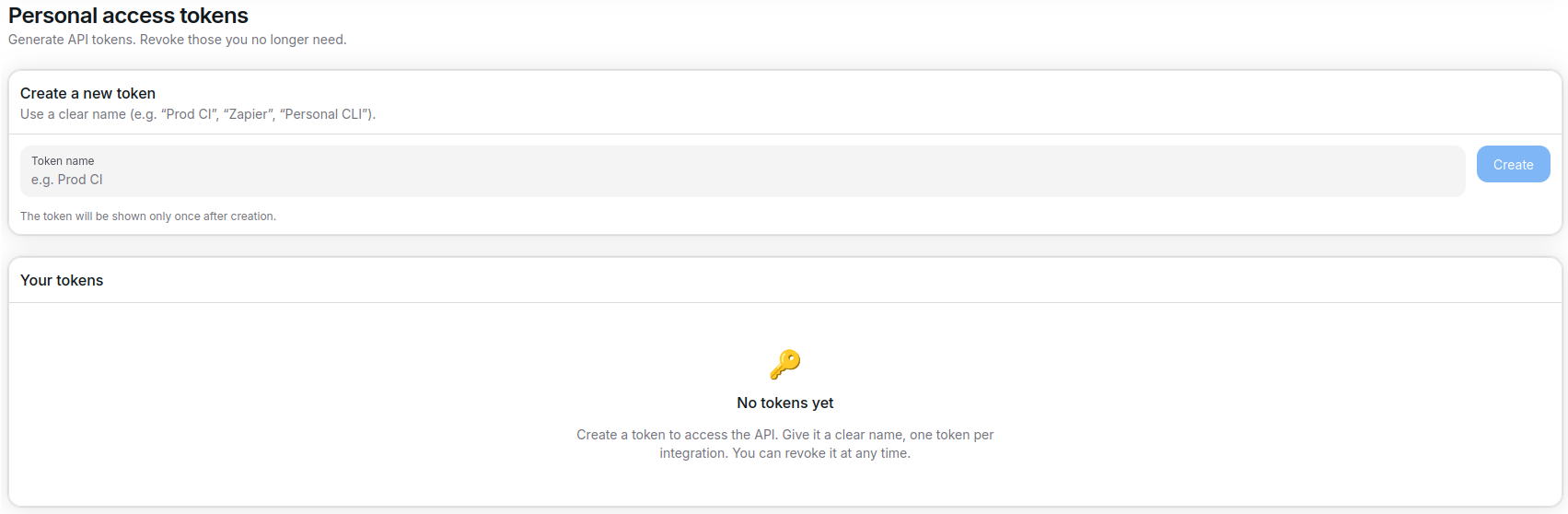
- The new token value is displayed once only. Copy it immediately and store it in a secret manager or environment variable.
- Use the bearer format
Authorization: Bearer <token>in every API request. - Rotate tokens regularly and revoke unused credentials to keep integrations secure.
Configure data accesses
Open API → Data Access in the Immoteur dashboard to review the data available to your integration. Immoteur applies the configured data access to API responses.
- Review the
meta.dataAccessLimitblock in API responses to confirm the effective access. - Use endpoint filters in addition to data access limits when you need a narrower result.
Use tokens safely
- Inject
$IMMOTEUR_TOKENthrough environment variables or a secret store rather than hard-coding it. - Rotate a token by updating the integration configuration, then revoke the token that is no longer used.
- If a request returns
401, confirm the token and Bearer header before retrying. See API reliability for response handling.